
How to Make a TradeShop
Create a Tradeshop
To create a tradeshop, place a sign on a chest and type:
[trade]
product
Cost
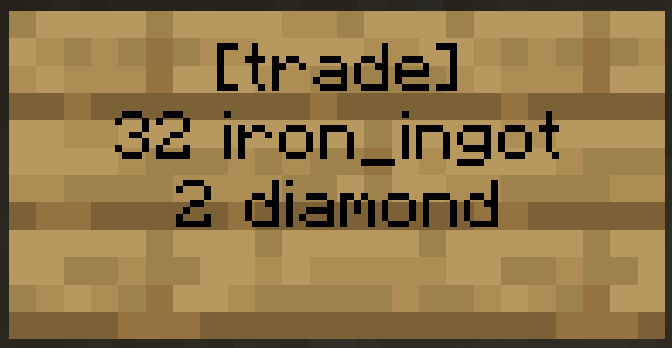
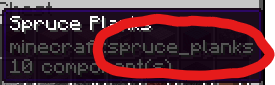
Use the format of the item name that shows when you press F3 + H, for example iron_ingot or diamond. You can use any item for both the product and the cost. If you want to use an item with specific data like a special name or enchantment, use /ts addCost or /ts addProduct while selecting what you want to use in your hand
Trade Shop Commands
/ts addCost [material] [number]
adds/changes the cost, you can use either the item name or hand to use the item that is currently in your hand.
/ts addProduct [material] [number]
adds/changes the product, you can also use either the item name or hand to use the item that is currently in your hand
/ts close
Closes the tradeshop so no one can buy from the tradeshop
/ts open
Opens the tradeshop so that people can buy from it (this is on by default)
/ts removeCost
Removes the cost item from the trade shop
/ts removeProduct
Removes the product item from the trade shop
Adverts
You can create an advert to advertise your shop in the adverts gui.
/advert open
Allows you to view all adverts
/advert create
Shows a gui that lets you create an advert
/advert edit
Shows a gui that lets you edit your advert
/advert delete
Deletes your advert