# TradeShops and Adverts
## Create a Tradeshop
To create a tradeshop, place a sign on a chest and type:
- \[trade\]
- Product
- Cost
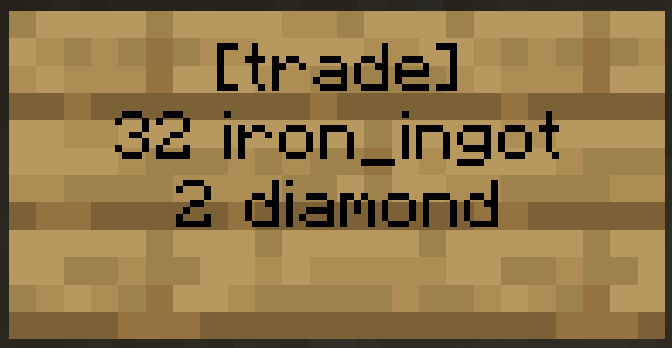
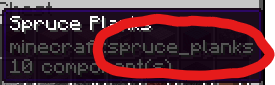
Use the format of the item name that shows when you press F3 + H, for example "iron\_ingot" or "diamond". You can use any item for both the product and the cost. If you want to use an item with specific data like a special name or enchantment, use **/ts addCost** or **/ts addProduct** while selecting what you want to use in your hand. If the item name is too big to fit on the sign you will have to use a command.
##### Trade Shop Commands
- **/ts addCost \[material\] \[number\]**
- Adds/changes the cost, you can use either the item name or hand to use the item that is currently in your hand.
- **/ts addProduct \[material\] \[number\]**
- Adds/changes the product, you can also use either the item name or hand to use the item that is currently in your hand
- **/ts random**
- Randomly picks items from the chest
- **/ts cooldown \[time\]**
- e.g. 5h 12m or 30s
- Limits purchases after x amount of time and can be set to 0 to disable
- **/ts close**
- Closes the tradeshop so no one can buy from the tradeshop
- **/ts open**
- Opens the tradeshop so that people can buy from it (this is on by default)
- **/ts removeCost**
- Makes the cost free
- **/ts removeProduct**
- Removes the product item from the trade shop
#### Managers
- **/ts addManager**
- add a manager to a trade shop
- this allows them to edit the trade shop
- **/ts removeManager**
- remove a manager
- **/ts listManagers**
- view all managers of the trade shop
---
## Adverts
You can create an advert to advertise your shop in the adverts gui.
- **/advert open**
- Allows you to view all adverts
- **/advert create**
- Shows a gui that lets you create an advert
- **/advert edit**
- Shows a gui that lets you edit your advert
- **/advert delete**
- Deletes your advert